SuiteOne POS is a Laravel point-of-sale and business app for restaurants, retail counters, and small companies. During install you pick one business mode; the menus, home screen, and workflows match that mode. Arabic and English. Live demo: pos.suiteone-erp.com
Business modes (choose one at install)
The same codebase ships four ready modes. You do not buy four products — you activate the mode that fits the shop.
Mode 1
Restaurant POS
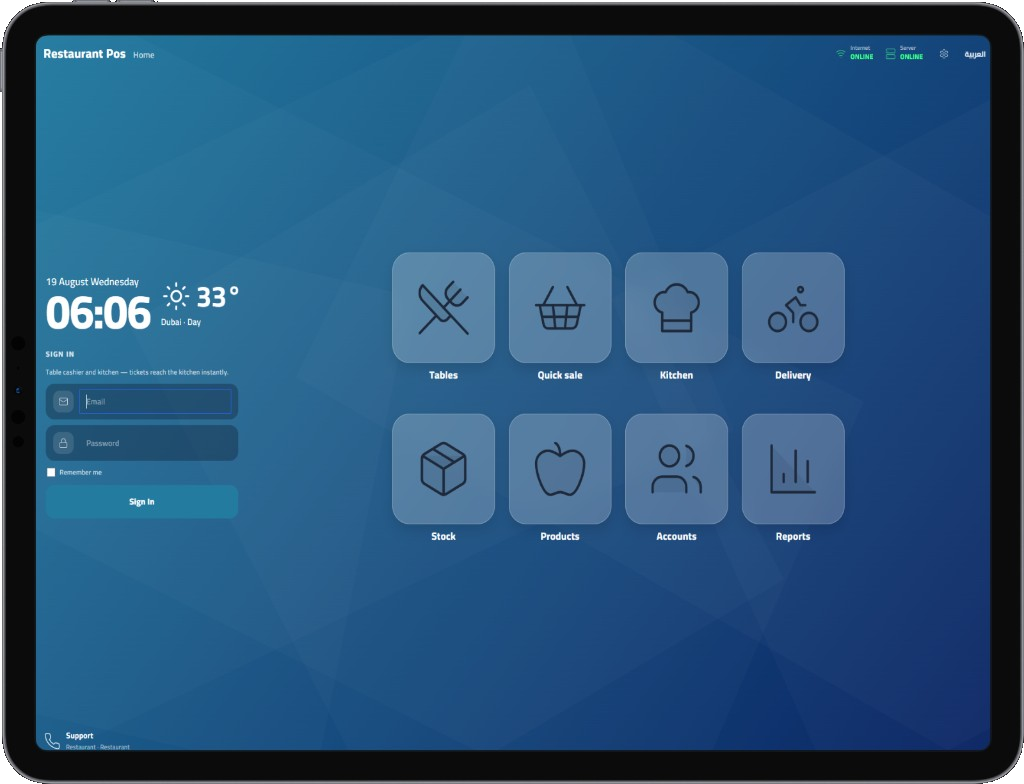
Floor sales with tables, kitchen tickets, dine-in / takeaway / delivery, cash drawer, and a touch-friendly home launcher.
- Tables map (up to 200)
- Kitchen screen & send-to-kitchen
- Quick sale + delivery tiles
- Stock, products, reports
Mode 2
Supermarket POS
Fast counter sales for groceries and retail: barcode-friendly product grid, categories, cart, cash / card / transfer, and inventory linked to every sale.
- Quick sale focused cashier
- Warehouses & stock count
- Purchases & suppliers
- Quantity and P&L reports
Mode 3
Multi POS
Run more than one selling point from the same system — shared products and stock, separate drawers and sales history per counter.
- Shared catalog & warehouses
- Per-counter cash drawer
- Unified sales reports
- Roles for cashiers / managers
Mode 4
Invoicing company
For agencies and small firms that issue invoices more than they need a floor POS: customers, invoices, receipt / payment vouchers, tax, and collections.
- Invoices & credit flow
- Receipt & payment vouchers
- TRN, tax rate, bilingual labels
- Sales & collections dashboard
What you get in every mode
Bilingual UI
English and Arabic (RTL). Company name, tax labels, and documents can be entered in both languages.
Inventory
Products, categories, purchases, suppliers, warehouses, stock count, stock movements, and quantity report.
Money in / out
Cash drawer, invoices, receipt vouchers, payment vouchers, cash / card / bank transfer on the cashier.
Reports
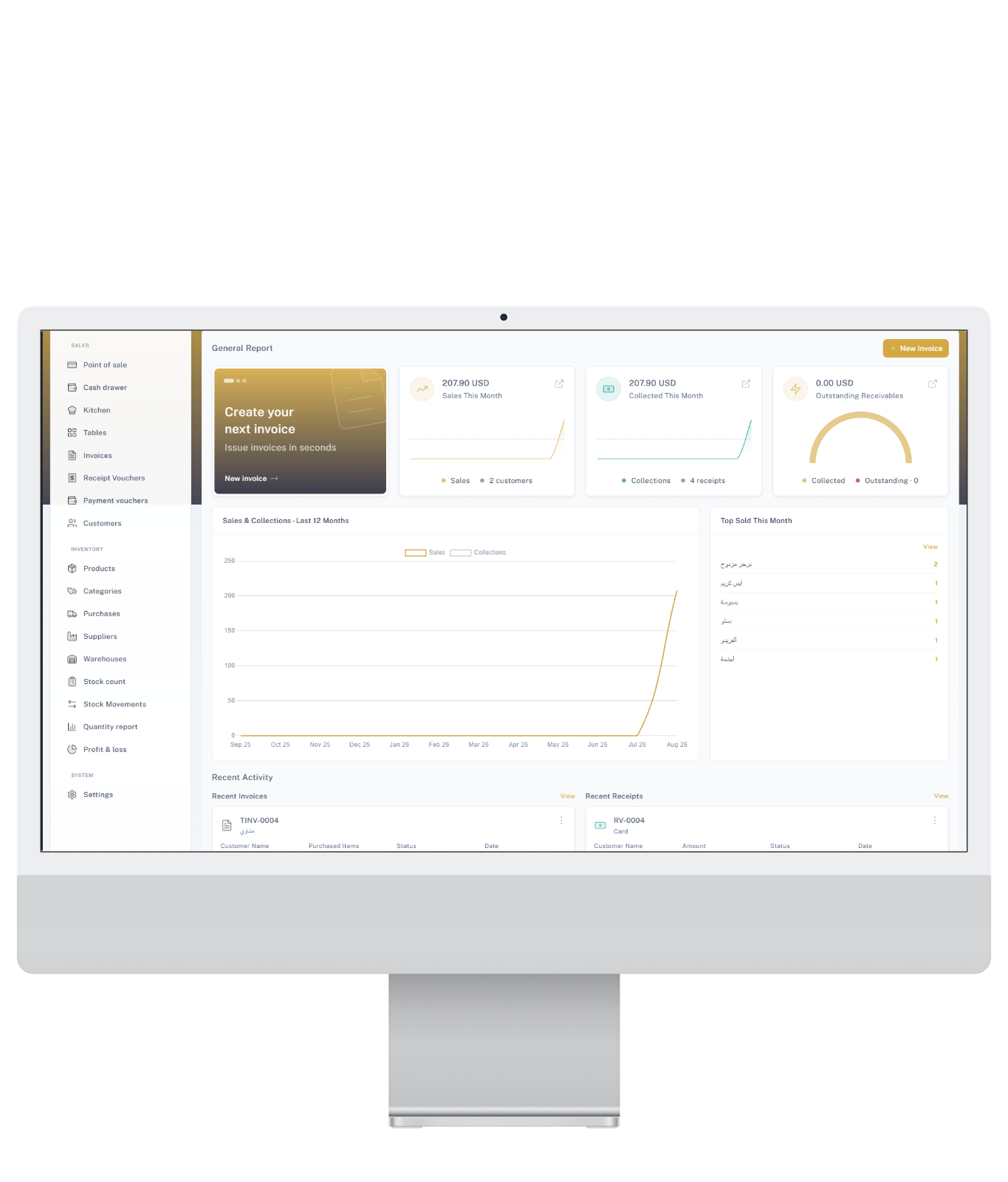
General report with this-month sales and collections, 12-month chart, top sold items, recent invoices and receipts, profit & loss.
Company & tax
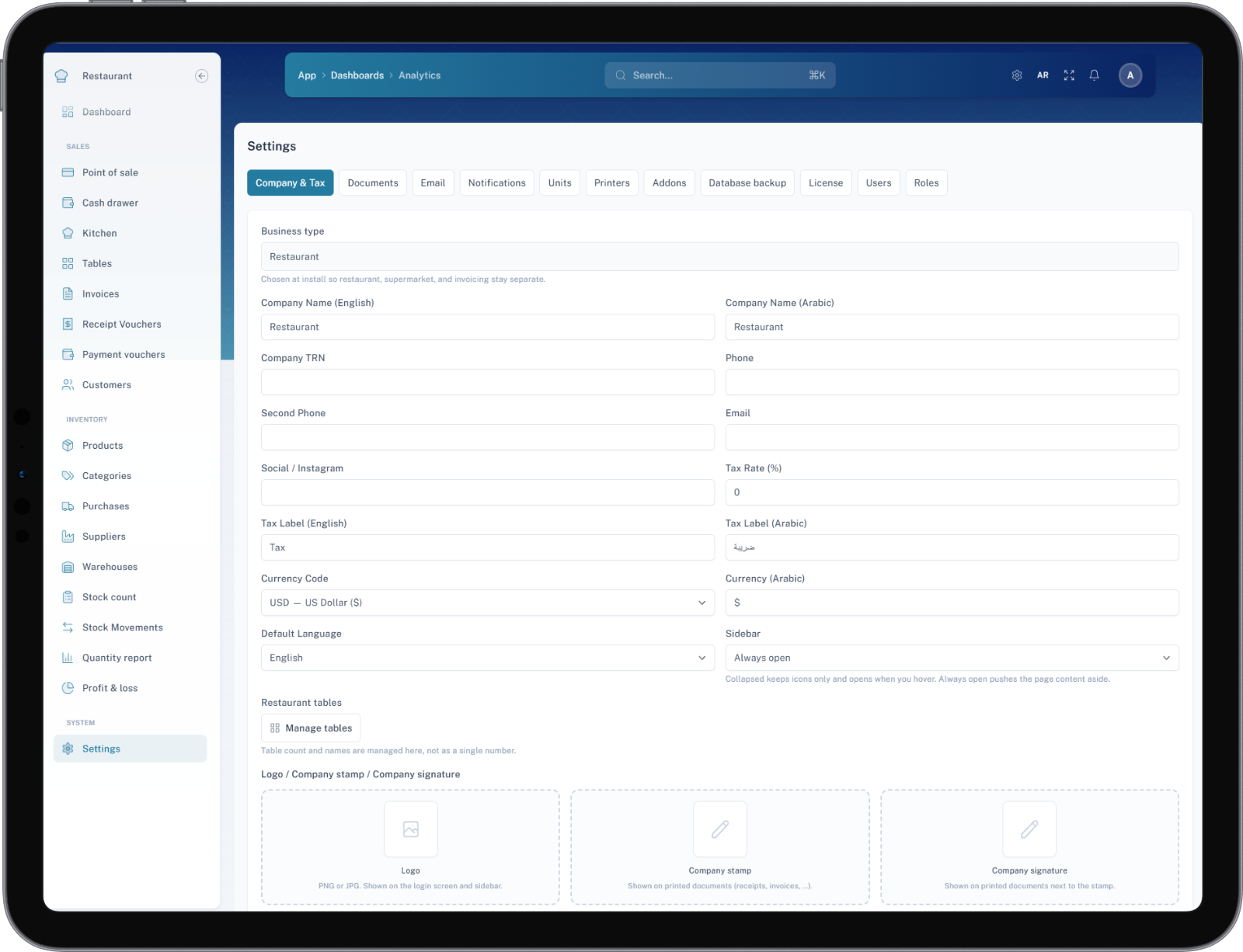
Business type, TRN, tax %, currency, default language, logo, company stamp and signature for prints.
Users & license
Users and roles, printers / addons, database backup, and domain license activation after purchase.
Screens from the live product
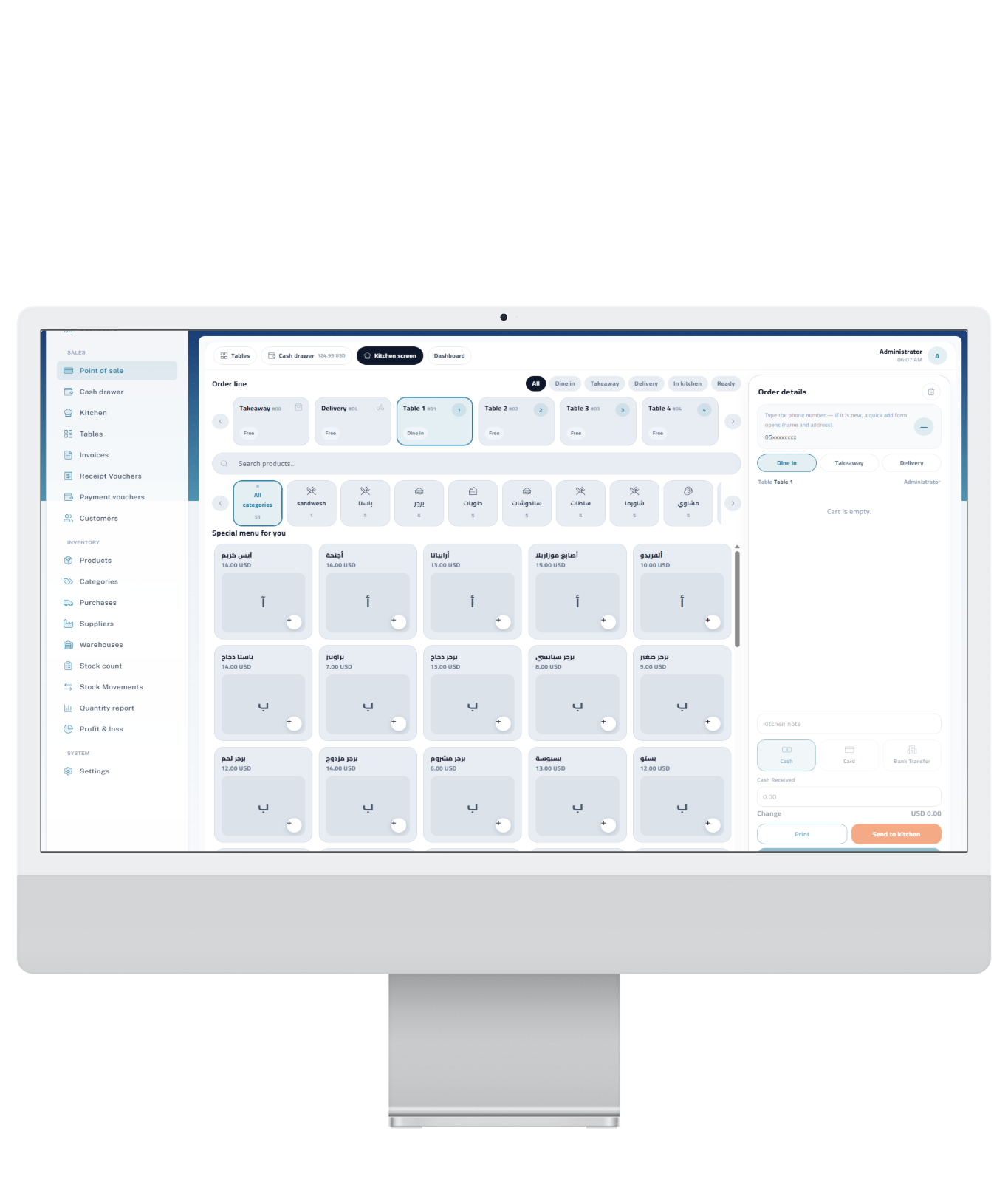
01 — Cashier
Restaurant cashier screen
Product search and categories, specials grid, order filters (dine-in / takeaway / delivery / kitchen / ready), cart, kitchen note, payment methods, Print and Send to kitchen. Sidebar covers sales, inventory, and settings.
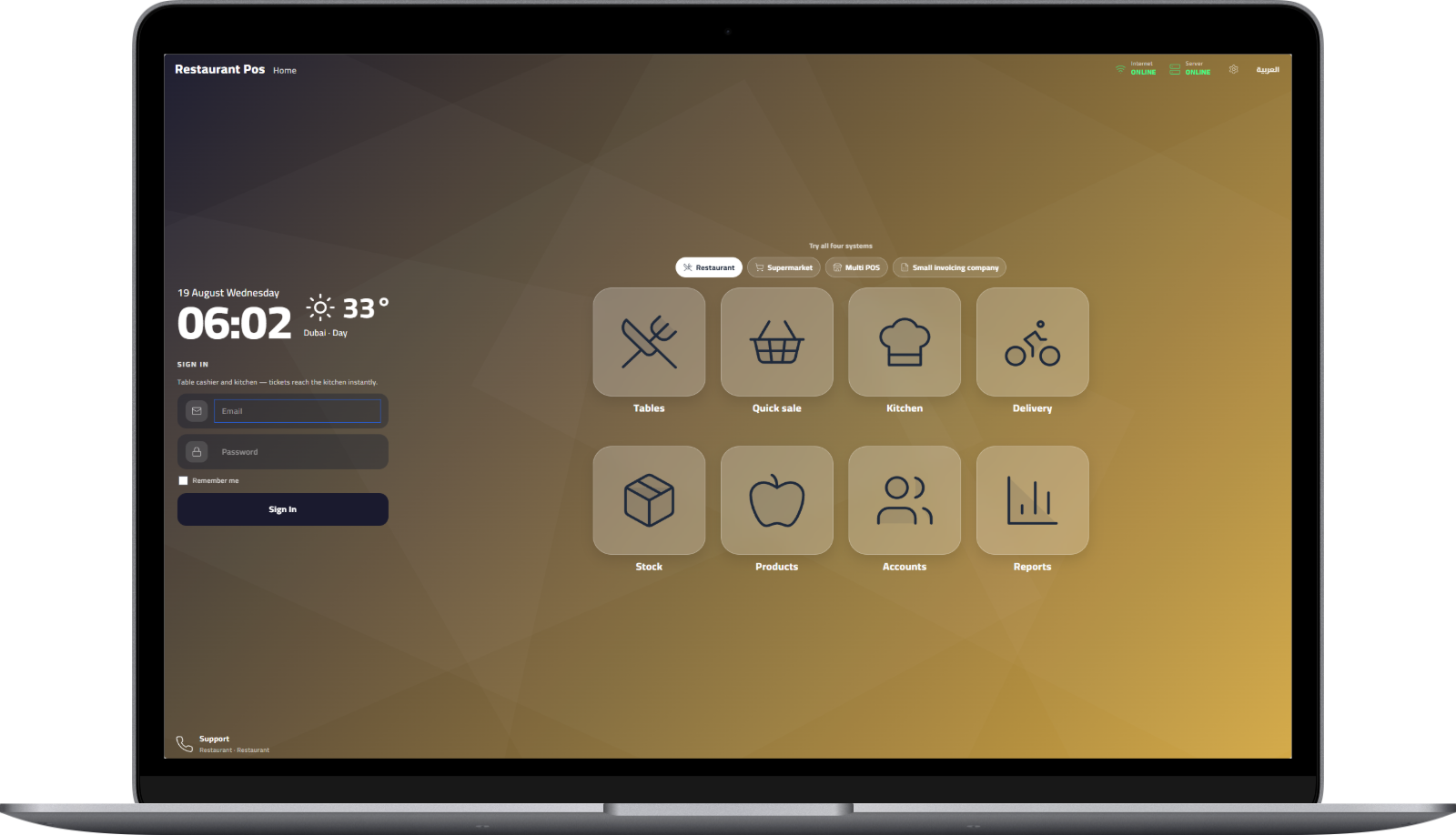
02 — Home
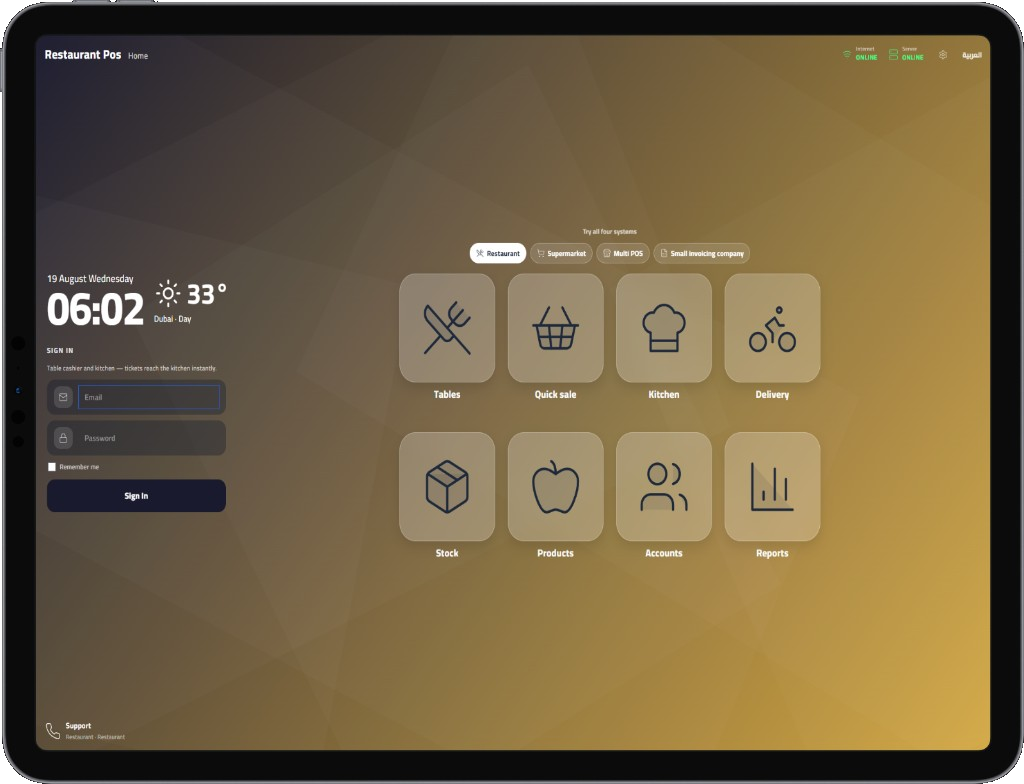
Home launcher + mode switcher
Tabs for Restaurant, Supermarket, Multi POS, and Small invoicing company. Large tiles: Tables, Quick sale, Kitchen, Delivery, Stock, Products, Accounts, Reports. Online status and Arabic toggle.
03 — Reports
General report dashboard
Sales and collections this month, outstanding receivables gauge, 12-month sales chart, top sold items (Arabic names), recent invoices and receipts with New Invoice action.
04 — Tables
Restaurant tables
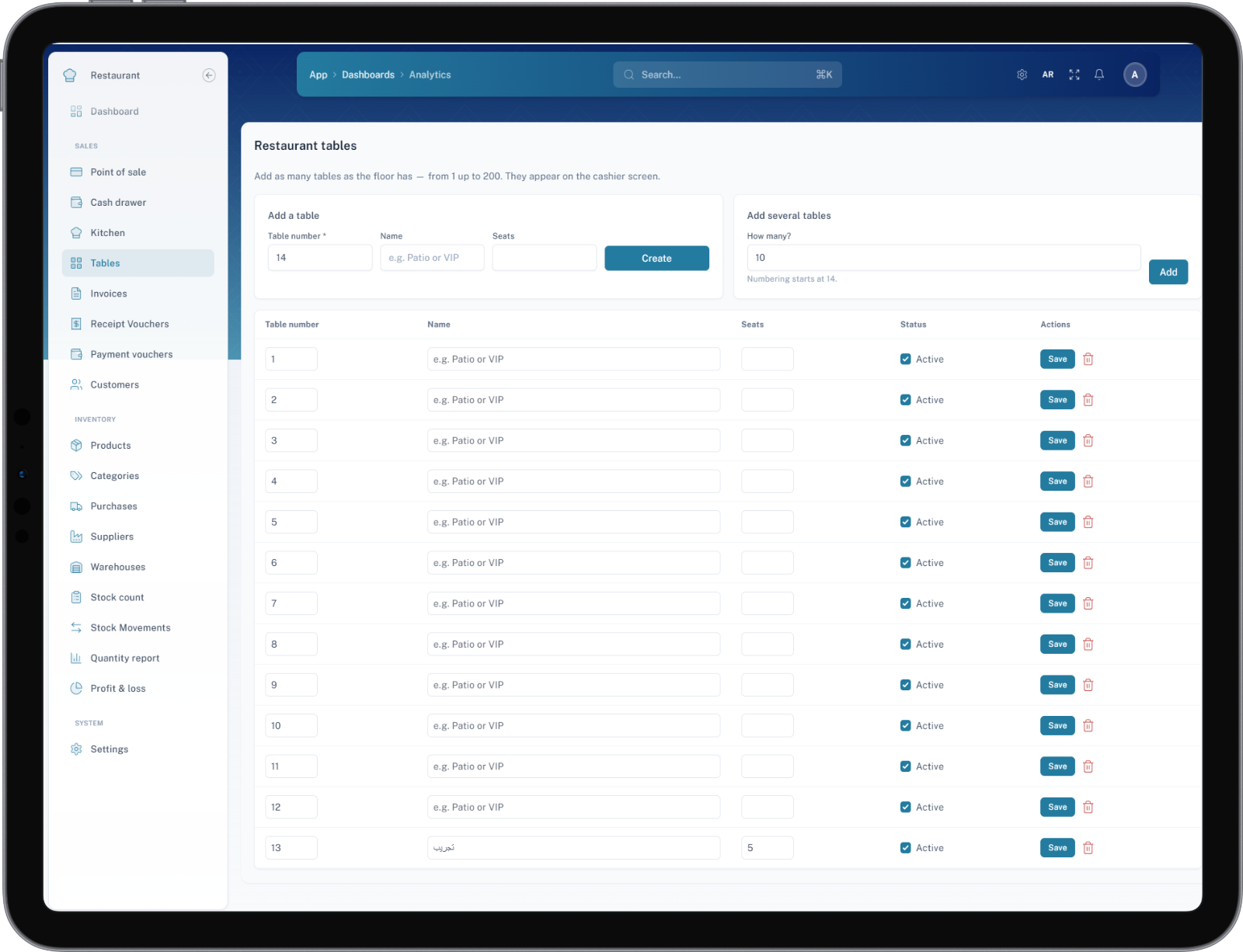
Add one table or bulk-add many (up to 200). Number, name, seats, active flag — tables appear on the cashier for dine-in service.
05 — Settings
Company & tax
Business type set to Restaurant, bilingual company and tax labels, TRN, tax rate, USD currency, default language, manage tables, logo / stamp / signature. Tabs for documents, printers, backup, license, users & roles.
Who it is for
- Restaurants and cafés that need tables + kitchen tickets
- Supermarkets and retail shops that need fast counter sales and stock
- Businesses with more than one cashier (Multi POS)
- Small companies that mainly issue invoices and track collections
After purchase we help you install on your hosting, pick the right mode, brand the login and invoices, and go live.